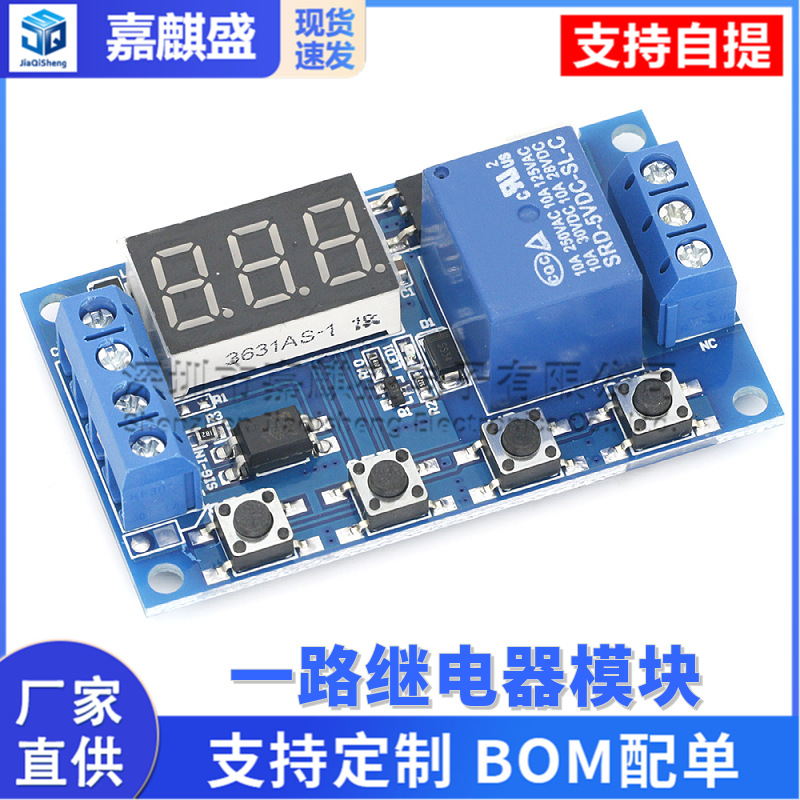
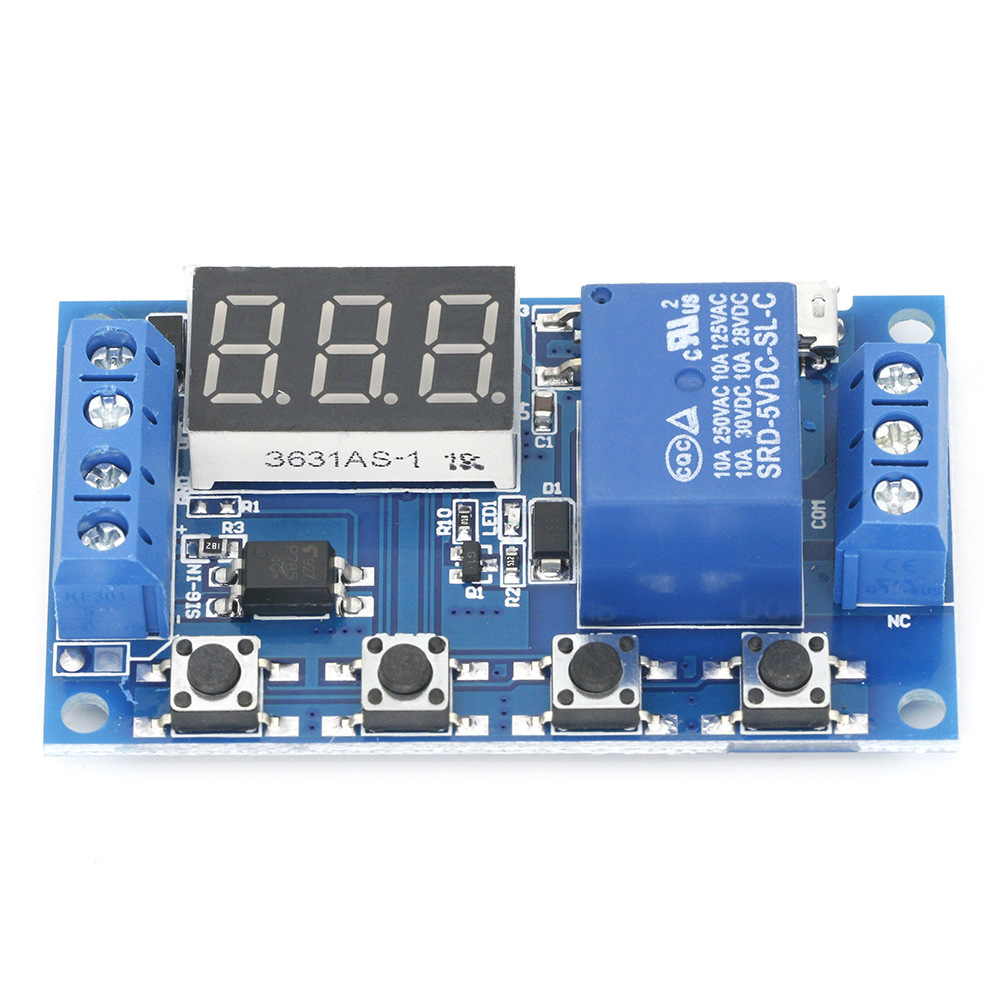
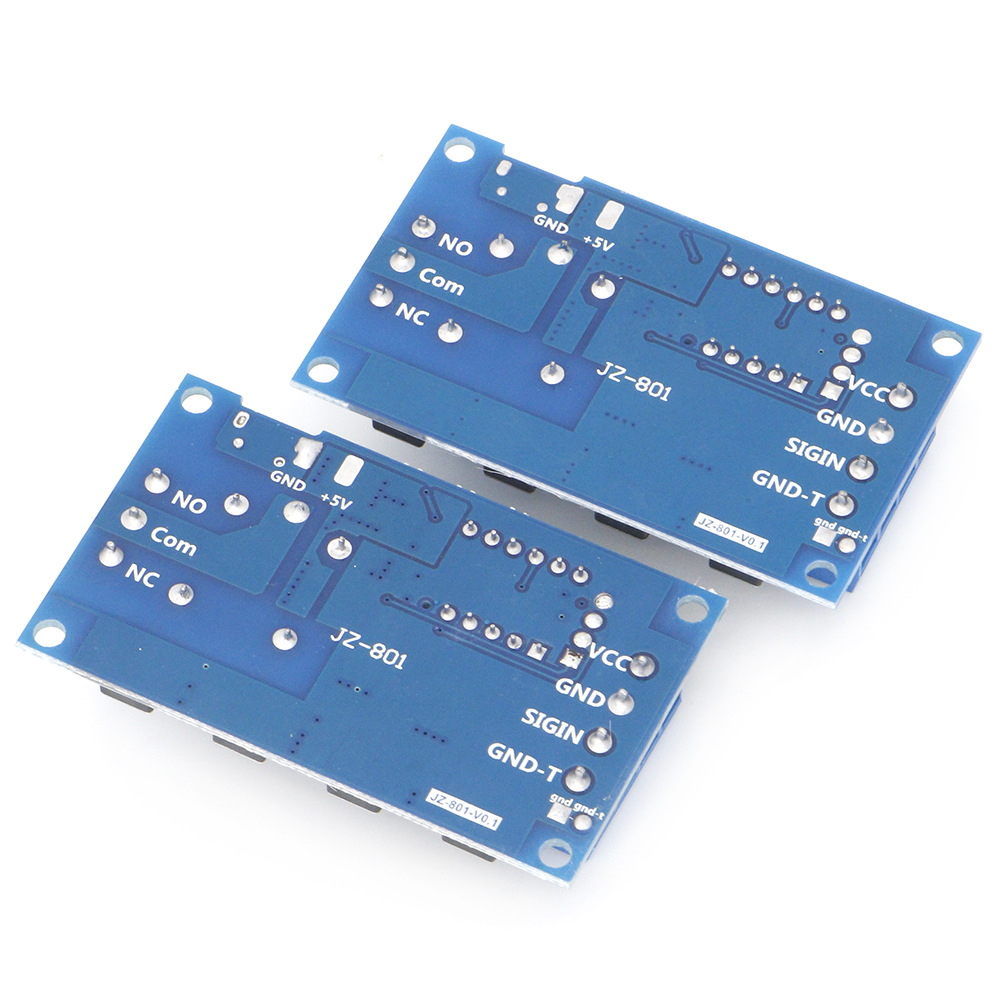
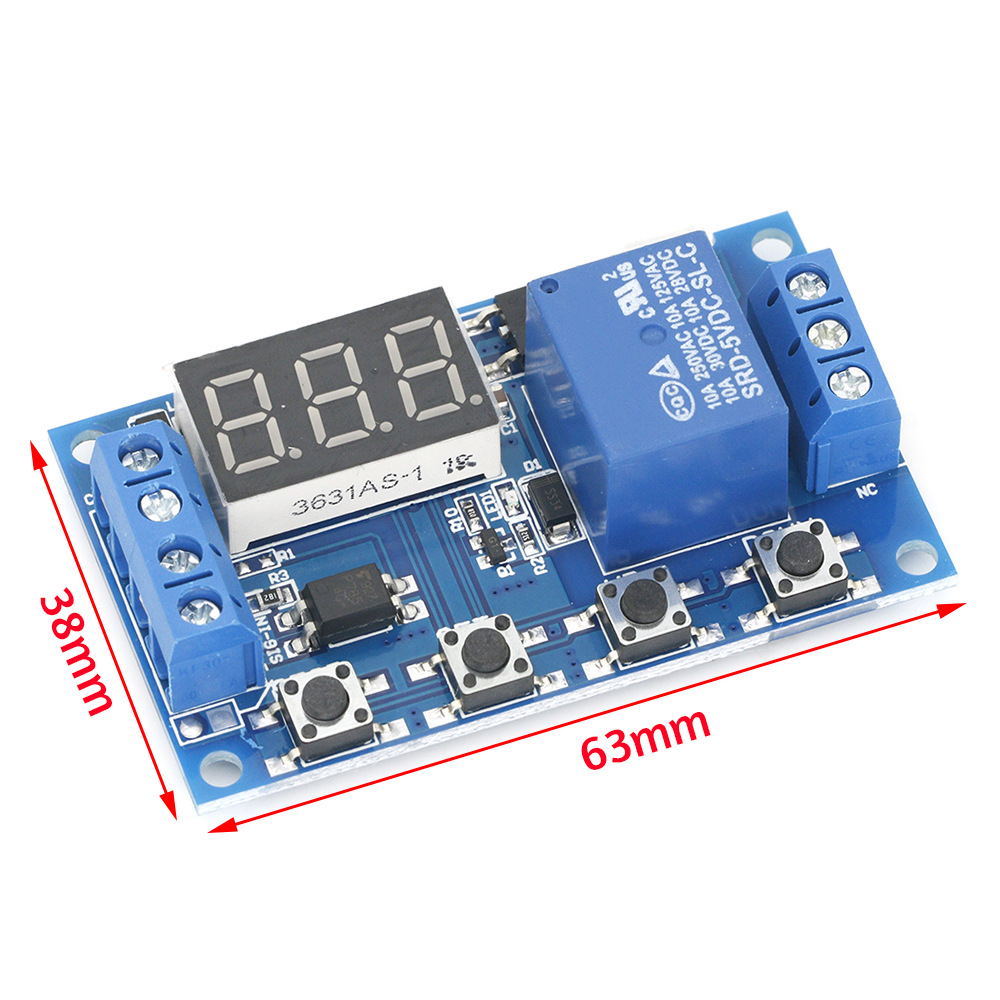
All the way relay module delay power off disconnect trigger delay cycle timing circuit switch

All the way relay module delay power off disconnect trigger delay cycle timing circuit switch

$0.57 ~ $0.68

Price includes service fee; after ordering, we source and consolidate shipping from factories.

Estimated domestic shipping ≈ $0.45(1 pieces estimated, actual cost determined at checkout)

铭恺电子
Specifications and models
Quantity

Total 2 specifications

Bulk Purchase? Submit Inquiry


一路继电器模块 延时断电 断开 触发延时 循环定时电路开关


(详情提供中英文描述)


中文描述:


0.1秒(小)~999分钟(大)连续可调


本产品简单易用,功能强大,但请各位买家详细的看下本产品的操作说明,非常实用的产品。


模块亮点:


1. 宽电压供电(6~30V)支持micro USB 5.0V供电,使用非常方便;


2. 界面清晰简单,功能强大,通俗易懂,几乎满足您的所有需求;


3. 有一键急停功能(STOP键),带反接保护,反接不烧;


4. 增加了睡眠模式,使能之后,5分钟内操作,自动关闭显示器;任意按键唤醒;


5. 可以设置不同OP、CL、LOP参数,这些参数是相互独立的,分别保存的;


6. 所有设置参数自动掉电保存。


工作模式:


P1: 信号触发后,继电器导通OP时间,然后断开;在OP时间内,如下操作


P1.1:信号再次触发无效


P1.2:信号再次触发重新计时


P1.3:信号再次触发复位,继电器断开,停止计时;


P-2:给触发信号, 继电器断开CL时间之后,继电器导通OP时间,计时完成之后,断开继电器;


P3.1:给触发信号,继电器导通OP时间之后,继电器断开CL时间,然后循环上述动作,循环内再次给信号,继电器断开,停止计时;循环次数(LOP)可以设置;


P3.2:上电之后无需触发信号,继电器导通OP时间,继电器断开CL时间,循环上述动作;循环次数(LOP)可以设置;


P-4:信号保持功能 如果有触发信号,计时清零,继电器保持导通;当信号消失,计时OP后断开继电器;计时期间,再有信号,计时清零;


产品参数:


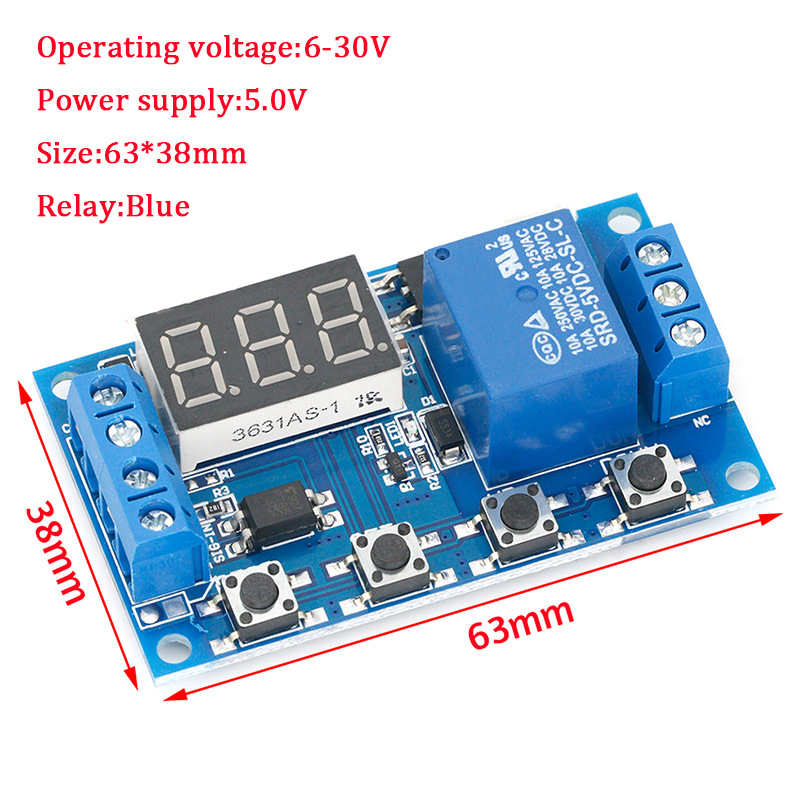
1:工作电压:6--30V支持micro USB 5.0V供电


2:触发信号源:高电平触发(3.0V—24V)信号地与系统地不共地系统的抗干扰能力(也可自行短接共地)


3:输出能力:可以控制直流30v 以内或者交流220v以内的设备


4:静态电流:20mA 工作电流:50mA


5:使用寿命:大于10万次;工作温度:-40—85℃ ;尺寸:6.2*3.8*1.7cm


6:带光耦隔离,增强抗干扰能力,工业级别电路板,设定参数断电后


记忆。


特别注意:继电器输出是无源触点,不带电输出,控制一条线路通断的作用。


计时范围:


0.1秒(小)~999分钟(大)连续可调


如何选择计时范围:


在模式选择界面设定好参数值后通过短按STOP键,选择计时范围;


XXX. 小数点在个位,计时范围:1秒~999秒


XX.X 小数点在十位,计时范围:0.1秒~99.9秒


X.X.X. 小数点全亮,计时范围:1分钟~999分钟


比如您要设置OP是3.2秒,那就将小数点移动到十位上,数码管显示03.2


参数说明:OP导通时间,CL断开时间,LOP 循环次数(1—999次,“---”代表无限次循环)


这些参数是相互独立的,但各个模式共用这些参数,例如在P1.1设置了导通时间OP是5秒,用户想切换到P1.2模式,那么进入P1.2设置相应的参数时,OP也会是5秒;


在主界面(显示000)短按SET键,会显示OPCLLOP)及对应的时间XXX


如果模式中只有OP(例如模式P1.1P1.2P1.3)时间的话,那短按SET键就会只显示OP及对应的时间;


如果模式中有OP、CL、LOP(例如模式P3.1,P3.2)那短按SET键会显示OP及对应时间,CL及对应时间,LOP及对应次数;


在设置好模式后,在主界面通过短按SET键可轻松查看当前模式下所设置的参数,非常方便!


如何设置参数


1. 确定继电器的工作模式;


2. 根据继电器的工作模式,在主界面(模块上电时,会闪烁下当前所处的工作模式(默认P1.1模式),然后进入主界面,)“长按SET键2秒后松开”进入模式选择界面,通过短按UP、 DOWN按键来选择要设置的模式(P1.1~P-4);


3. 选择好要设置的模式后(例如P3.2)短按SET键设置相应的参数,这时要设置的参数会闪烁(OP导通时间,CL断开时间,LOP 循环次数(“---”代表无限次循环)),通过UP、DOWN调整参数值,支持长按(快速增加或减少)与短按(增加或减少1个单位);设定好参数值后,通过短按STOP键来选择小数点位置,选择计时范围(相应的时间0.1秒~999分钟);短按SET键,设置当前模式的下一个参数,过程同上;


4. 设置好选定模式的参数后,长按SET键2秒后松开,当前设置好的模式会闪烁下,然后返回到主界面,设置参数成功,非常简单!


主界面:继电器不工作状态下显示“000”(没有小数点),继电器工作状态下带有小数点,非常清晰!


模式选择界面:长按SET键进入,设置完成后,长按SET键退出,回到主界面,非常简单!


继电器使能模式


1. ON :OP导通时间内继电器允许导通;


2. OFF :继电器禁止导通,始终是关闭状态;


在主界面短按STOP按键,实现ON和OFF之间的切换,当前所处的状态会闪烁,然后返回主界面。(此功能是急停功能,一键断开闭合的继电器)


睡眠模式:


1. C-P 睡眠模式:五分钟内,操作,数码管自动关闭显示,程序正常运行;


2. O-d 正常模式:数码管始终打开显示;


长按STOP按键2秒后松开,实现C-P和O-d状态的切换,当前所处的状态会闪烁,然后返回主界面。


英文描述:


Product Features:


1. Wide voltage power supply (6 ~ 30V) supports micro USB 5.0V power supply, easy to use;


2. The interface is clear and simple, powerful, easy to understand, meet almost all your needs;


3. There is a key stop function (STOP key), with reverse polarity protection, reverse polarity does not burn;


4. Increase the sleep mode, it enables, without any operation within 5 minutes, turn off the monitor automatically; any key to wake up;


5. You can set a different OP, CL, LOP parameters, which are independent of each other, were saved;


6. All setup parameters are saved automatically power down.


Product parameters:


1: Operating voltage: 6--30V support micro USB 5.0V power supply


2: The trigger source: high trigger (3.0V-24V) signal with no common ground system to improve anti-jamming capability of the system (also self-shorting common ground)


3: Output capability: You can control the DC or AC within 30v within 220v


4: Quiescent Current: 20mA Operating Current: 50mA


5: Timing range: 0.1 seconds -999 minutes continuously adjustable;


6: Availability: more than 10 million times;


Working temperature: -40-85 Celsius ;


size: 6.2 * 3.8 * 1.7cm


7: with optocoupler isolation, enhanced anti-jamming capability, industrial grade circuit boards, set the parameters after power failure memory forever.


Special Note: The relay outputs are passive contact, uncharged output to control a line-off role.


product manual:


Operating mode:


P1: After the trigger signal, the relay is turned OP time, and then disconnect; in the OP time, as follows


P1.1: Invalid signal triggered again


P1.2: Re-timing signal is triggered again


P1.3: Reset signal is triggered again, the relay off, stop the clock;


P-2: to the trigger signal, the relay after time off CL, OP relay conduction time, after the counting is finished, disconnect relay;


P3.1: After the trigger signal to the relay turned OP time, relay off CL time, then the operation cycle, to signal to the relay off, stop the clock once again within the loop; cycles (LOP) can be set;


P3.2: After power without triggering signal, the relay is turned OP time, relay off CL time, cycle the operation; cycles (LOP) can be set;


P-4: signal holding function if there is a trigger signal timing is cleared, the relay remains on; when the signal disappears, after timing OP disconnect relay; timer period, then there is a signal, the timing is cleared;


Timing setting:


After setting the parameter values in the mode selection screen by a short press STOP button, select the time range;


XXX decimal point bits, timing range: 1 second to 999 seconds


XX.X decimal point in ten, Timing range: 0.1 seconds to 99.9 seconds


X.X.X. decimal full brightness, Timing range: 1 minute to 999 minutes


For example, you want to set up OP is 3.2 seconds, then move the decimal point to ten, the digital display 03.2


Parameter Description: OP-time, CL off time, LOP cycles (1-999 times, "---" represents infinite loop)


These parameters are independent of each other, but each of these common mode parameters, for example, P1.1 set OP-time is 5 seconds, the user wants to switch to P1.2 mode, then enter P1.2 set the appropriate parameters, OP It will be five seconds;


In the main interface (display 000) Press SET button will display OP (CL, LOP) and the corresponding time XXX;


If only OP mode (such as the mode P1.1, P1.2, P1.3) time, then press SET button will display only the OP and the corresponding time;


If the pattern has OP, CL, LOP (such as the mode P3.1, P3.2) then press the SET button OP and the corresponding time, CL and the corresponding time, LOP and the corresponding number will be displayed;


In the set mode, the main interface parameters by a short press the SET button can easily see the current mode set in, very convenient!


parameter settings:


1. First, determine the operating mode of the relay;


The mode of operation of the relay, in the main interface (when the module is powered on, flashes the current work mode (P1.1 default mode), then enter the main interface) "long press SET button for 2 seconds after the release "to enter mode selection screen by press UP, DOWN buttons to select the mode to be set (P1.1 ~ P-4);


3. After selecting the mode to be set (for example, P3.2) Press SET key to set the appropriate parameters, then the parameter to be set flashes (OP-time, CL off time, LOP cycles ( "- - "represents infinite loop)) by UP, DOWN to adjust the value, support long press (rapid increase or decrease) and press (increase or decrease one unit); setting the parameter value by a short press STOP button to select the decimal point position, select time range (corresponding time of 0.1 seconds to 999 minutes); short press sET key to set the next parameter of the current mode, the process above;


4. After setting the parameters of the selected mode is good, press the SET button for 2 seconds after release, currently set mode will flash, and then return to the main screen, set the parameters of success is very simple!


The main interface: In the relay does not work status display "000" (no decimal point), with a decimal point under relay state, very clear!


Mode selection screen: Long press SET to enter, after setting is completed, press SET key to exit and return to the main interface is very simple!


STOP key functions:


Relays enable mode:


1. ON: inner OP-time relay allows conduction;


2. OFF: relay prohibit conduction is always closed;


In the main interface, short press the STOP button to switch between ON and OFF, the current in which the state will flash, and then return to the main screen. (This feature is an emergency stop function, a key disconnect relay closed)


Sleep mode:


1. C-P Sleep mode: five minutes without any operation, the digital display automatically turns off, the normal operation of the program;


2. O-d normal mode: digital display always open;


Press STOP button for two seconds after the release, to switch C-P and O-d state, in which the current state of flashes and then return to the main screen.